


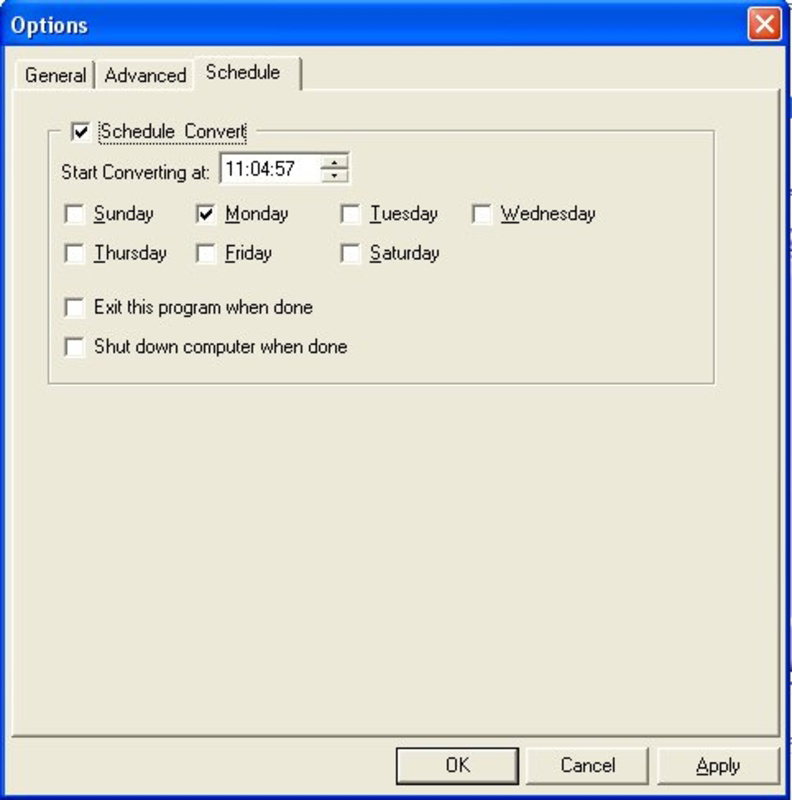

Description
Download Alive Video Converter – video converter, audio extractor, format conversion, AVI, MOV, WMV, MP3, DVD, VCD, SVCD, tool, utility, productivity, smartphone
Overview
Alive Video Converter is a utility application designed to simplify the process of video format conversion and audio extraction. Targeted at users who frequently work with multimedia files, the app serves as a reliable tool for transforming video content across a wide range of formats. It enables seamless transitions between common file types such as AVI, MOV, WMV, MPEG, and more, ensuring compatibility with various playback devices and platforms. The application is particularly useful for individuals managing personal media libraries, preparing content for sharing, or creating audio-only tracks from video sources.
Its primary function lies in bridging format gaps, allowing users to convert files for use on smartphones, DVD players, or other systems that may not support certain video codecs. The app’s integration into the system context menu further enhances its utility by enabling quick conversions without launching the full application. While the developer did not provide additional background on the company or its development history, the app has been available since 2012, indicating a long-standing presence in the utility space. Despite its age, the tool remains relevant due to its focused functionality and straightforward design.
Real-world use cases include preparing home videos for family sharing, converting archived footage into modern formats, or extracting music from video files for personal playlists. In the broader app ecosystem, Alive Video Converter occupies a niche role as a lightweight, dedicated converter that doesn’t require complex workflows or cloud dependencies. Its continued relevance underscores the enduring demand for efficient, local file processing tools.
Key Features & Functionality
- Wide Format Support: The application supports a broad spectrum of video formats, including AVI, DivX, XviD, MPEG, WMV, MOV, ASF, and QT. This ensures compatibility with most commonly used video files, regardless of origin or encoding.
- Audio Extraction Capability: Users can extract high-quality audio from video files and save them as MP3 files. This feature is ideal for creating music playlists or preserving soundtracks without video content.
- Intuitive User Interface: The app features a clean, visually appealing layout designed for both beginners and experienced users. Navigation is straightforward, allowing for quick setup and execution of conversion tasks.
- Context Menu Integration: Alive Video Converter integrates directly into the system’s right-click context menu. This allows users to initiate conversions instantly by selecting files without opening the main application.
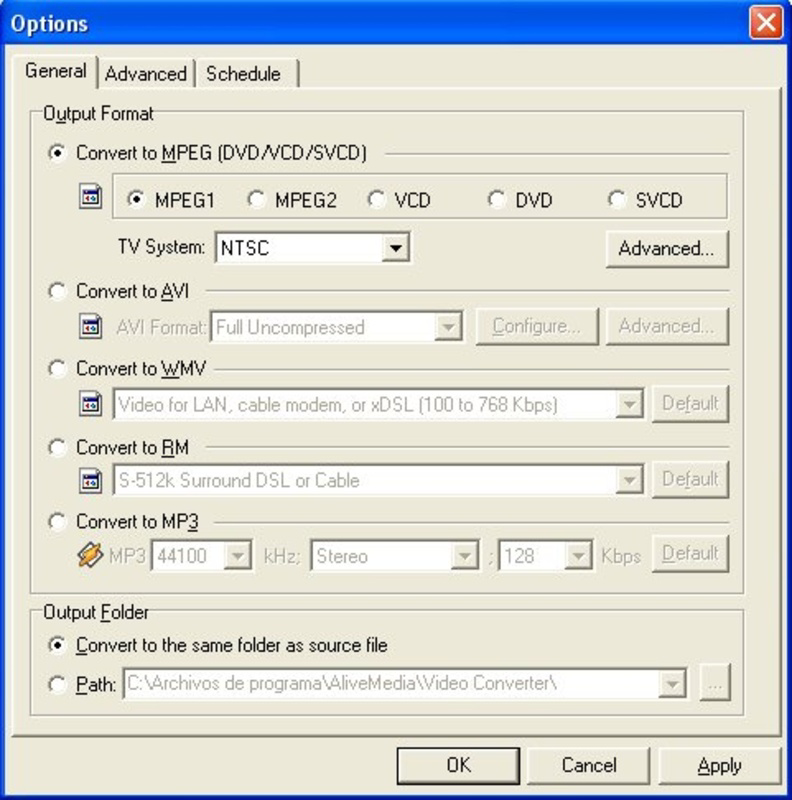
- Multiple Output Options: The tool offers output formats such as DVD, VCD, MPEG-1, MPEG-2, and SVCD, making it suitable for both home video projects and distribution across different media platforms.
For example, a user with a collection of old MOV files from a digital camera can convert them to MP4 for mobile playback. Another user might extract audio from a promotional video to use as background music. The context menu feature streamlines repetitive tasks, such as batch-processing files during content preparation. Each function is designed to reduce friction in multimedia workflows, enhancing productivity without unnecessary complexity.
Interface, UX & Performance
The user interface of Alive Video Converter is described as intuitive and visually appealing, with a layout that prioritizes ease of use. Navigation is structured around core functions—file import, format selection, and output configuration—minimizing user confusion. The design appears optimized for desktop environments, with clear labeling and accessible controls.
Although the developer did not list formal performance metrics, the app’s lightweight footprint of 3.5 MB suggests efficient resource usage. This indicates potential for smooth operation on systems with modest hardware specifications. The application’s responsiveness during conversion tasks is not detailed, but its ability to integrate with the context menu implies a low-latency execution model.
Stability is inferred from its long-standing availability since 2012, though no specific reports on crashes or errors were provided. Users can expect consistent behavior during standard operations, particularly for single-file conversions. The app does not appear to require background processes or internet connectivity, which enhances reliability and privacy. For users managing large batches of files, the absence of real-time progress indicators or queue management is notable, but the core functionality remains intact.
Platform Compatibility & Technical Requirements
Alive Video Converter is designed for the Windows platform. The current version is 2.0.0.0, with a file size of 3.5 MB. This indicates a compact, lightweight installation that should fit on most modern or legacy Windows systems.
The developer did not specify minimum OS requirements, nor did they list supported Windows versions. However, given the release date of 2012, the app is likely compatible with Windows 7 and later, though it may also function on older systems like Windows XP. Compatibility with newer Windows releases, such as Windows 11, cannot be confirmed without official documentation.
As a desktop application, it does not run on mobile platforms like Android or iOS. Therefore, users seeking a smartphone-compatible solution should consider alternative tools. The absence of cloud integration or mobile sync features reinforces its role as a standalone utility for local file processing.
Pros and Cons
Pros
- Supports a wide range of video and audio formats
- Efficient audio extraction to MP3
- Intuitive interface suitable for beginners and experts
- Context menu integration for quick access
- Lightweight file size (3.5 MB)
Cons
- Developer did not provide OS compatibility details
- No information on performance under heavy workloads
- Not available for mobile platforms
- Outdated release date (2012) raises concerns about modern security updates
- Limited output customization options
FAQ
Is Alive Video Converter safe to download and install?
Yes, the app is a legitimate utility tool. However, users should ensure they download it from a trusted source to avoid bundled software or malware.
Can I use Alive Video Converter on my smartphone?
No, the application is designed for Windows desktop systems only and is not available for Android or iOS devices.
Does the app require an internet connection?
No, Alive Video Converter operates offline and does not need internet access to perform conversions or extract audio.
How often is the app updated?
The last release was in 2012. The developer has not provided information on future updates or maintenance schedules.
What file formats can I convert to or from?
The app supports AVI, MOV, WMV, MPEG, DIVX, XVID, ASF, QT, and more. Output formats include MP3, DVD, VCD, MPEG-1, MPEG-2, and SVCD.
Final Thoughts
Alive Video Converter remains a functional tool for users who need reliable video format conversion and audio extraction on Windows. Its lightweight design, broad format support, and context menu integration make it a practical choice for everyday multimedia tasks. While its age raises questions about long-term support and modern security practices, it continues to serve its core purpose effectively.
Individuals managing legacy video files, preparing content for playback on older devices, or extracting audio tracks will find value in this utility. For those seeking a no-frills, offline solution, it offers a straightforward alternative to more complex or cloud-based converters.
Despite its limitations in modern compatibility and update frequency, Alive Video Converter delivers consistent results for its intended use cases. If you need a dependable format conversion tool for Windows, this app is worth considering.
Download Alive Video Converter now
Guides & Tutorials for Alive Video Converter
How to install Alive Video Converter
- Click the Preview / Download button above.
- Once redirected, accept the terms and click Install.
- Wait for the Alive Video Converter download to finish on your device.
How to use Alive Video Converter
This software is primarily used for its core features described above. Open the app after installation to explore its capabilities.
User Reviews for Alive Video Converter 0
No reviews found


